> For the complete documentation index, see [llms.txt](https://help.memberply.com/llms.txt). Markdown versions of documentation pages are available by appending `.md` to page URLs; this page is available as [Markdown](https://help.memberply.com/members-area/arrange-payment-by-someone-else.md).

# Arrange payment by someone else

Use **Payment by someone else** when a friend or family member wants to renew an existing member's fixed-duration membership. For example, someone who gave a membership as a Christmas gift can pay for another membership period without creating another member account or issuing a new membership number.

The member keeps their account, membership number, email address and benefits. The payer uses their own Shopify customer account and payment details.

## Create a payment request

1. Open **Members** in Memberply and open the member's details.
2. Under the membership details, expand **Payment by someone else**.
3. If the member already has a subscription, follow **Change an existing payer** below first.
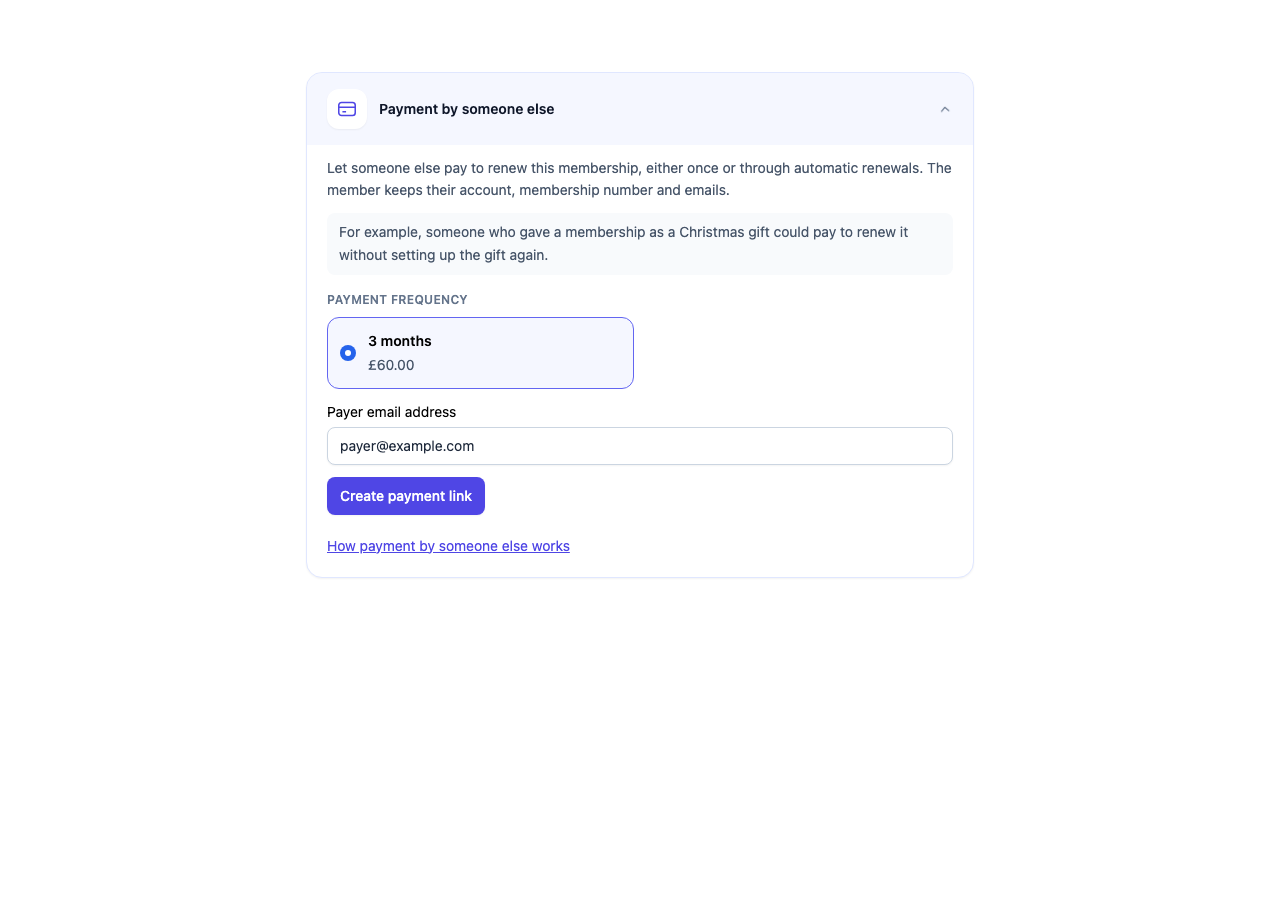
4. Check the membership period (for example, **3 months** or **6 months**) and price. Choose the period if the tier offers more than one option, and enter the payer's email address.
5. Click **Create payment link**.
6. Copy the link and share it with the payer using your normal correspondence.

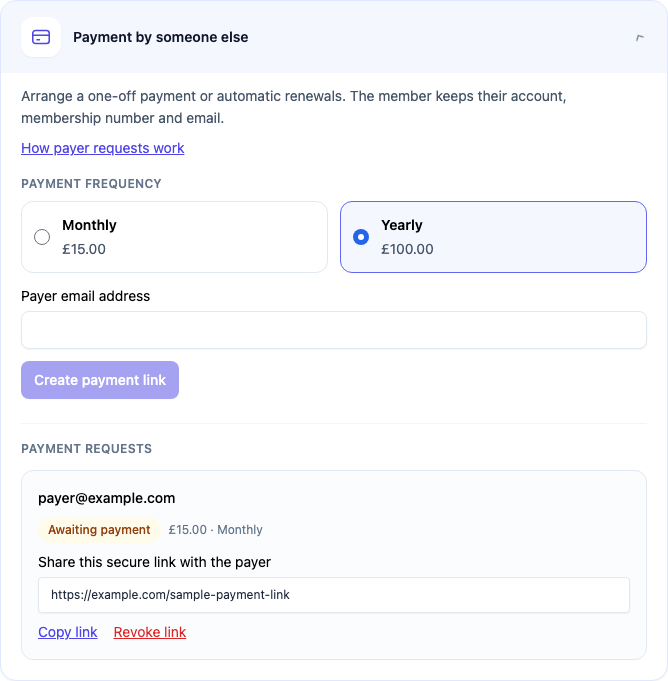
<figure><img src="https://2037526248-files.gitbook.io/~/files/v0/b/gitbook-x-prod.appspot.com/o/spaces%2FVJXUszoUtB7SAceDihaK%2Fuploads%2Fgit-blob-0af3a914b56eb51d58ab9c74983f0103c5fd5390%2Fmembership-payer-create.png?alt=media" alt="Payment by someone else panel showing a three-month membership period, its price, a sample payer email address and Create payment link"><figcaption><p>Choose the payment frequency, enter the payer email address and check the price. All screenshots in this guide use sample details.</p></figcaption></figure>

Creating the link does not send an email, take a payment or extend the membership. Only the named payer can use it after signing in. If needed, Memberply creates a Shopify customer record for their email address. It does not create a membership for the payer.

<figure><img src="https://2037526248-files.gitbook.io/~/files/v0/b/gitbook-x-prod.appspot.com/o/spaces%2FVJXUszoUtB7SAceDihaK%2Fuploads%2Fgit-blob-4bd25754699228d944c6d8c53a81a2e6d854f581%2Fmembership-payer-pending.png?alt=media" alt="Sample payment request awaiting payment with Copy link and Revoke link controls"><figcaption><p>Use Copy link to share the request with the named payer. The example link shown here is not a working payment link.</p></figcaption></figure>

Only one unpaid request can be open for a membership. Use **Revoke link** before arranging payment by a different person. Requests expire automatically; create a new request if an old link is unavailable.

## Change an existing payer

If someone else wants to take over an existing subscription, use **Change payer** inside **Payment by someone else**:

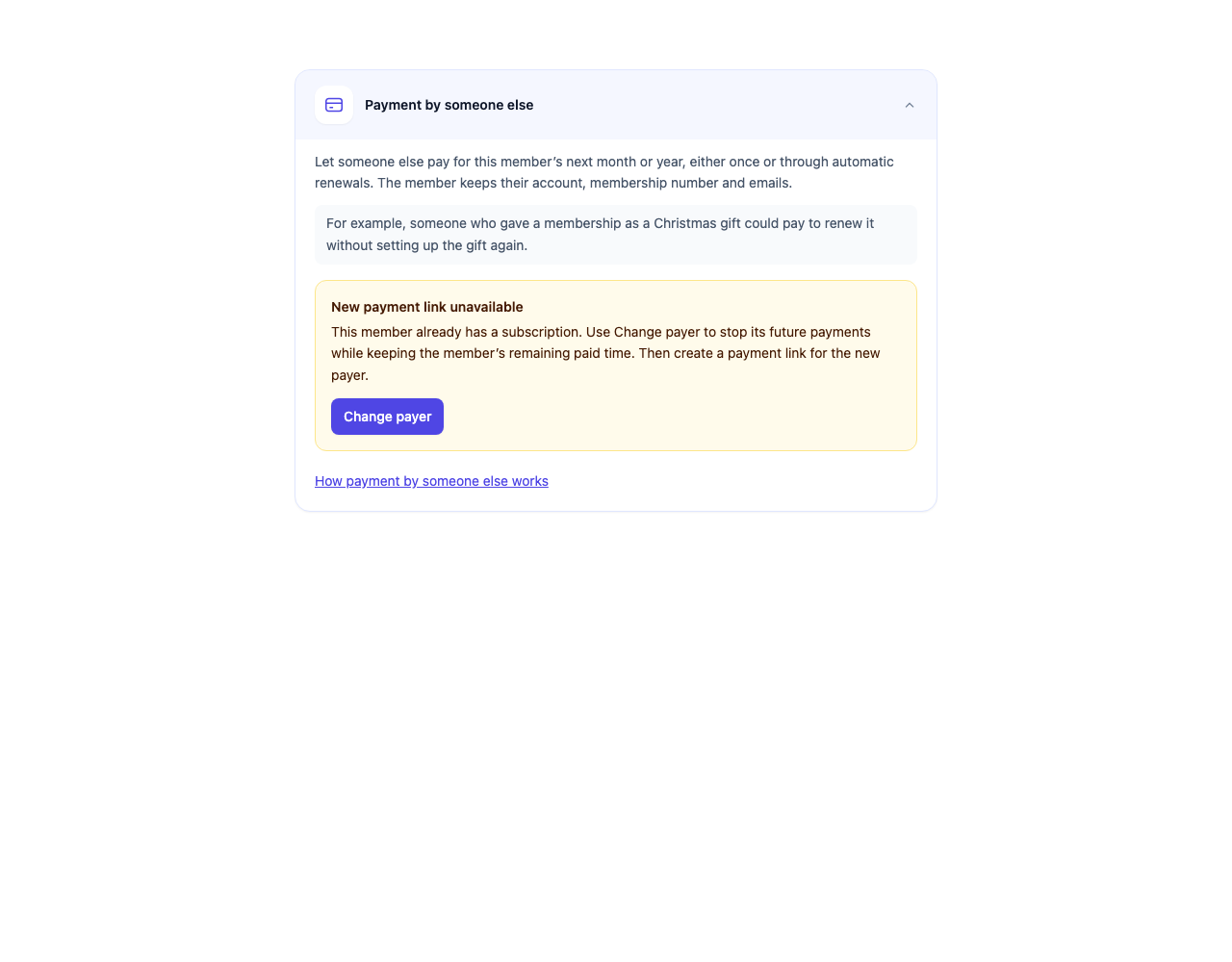
<figure><img src="https://2037526248-files.gitbook.io/~/files/v0/b/gitbook-x-prod.appspot.com/o/spaces%2FVJXUszoUtB7SAceDihaK%2Fuploads%2Fgit-blob-5951b0e84cf70ee53c4555fce9741f2ae05fd11f%2Fmembership-payer-change.png?alt=media" alt="Payment by someone else panel with Change payer available for a sample member with an existing subscription"><figcaption><p>Change payer stops the old subscription’s future payments while preserving the member’s remaining time. This screenshot uses sample details.</p></figcaption></figure>

1. Select **Change payer** and check the date shown in the confirmation.
2. Confirm to stop the current subscription's future payments. The member keeps their account, membership number, email and access through the date shown. Previous payments are not refunded.
3. Once the payment form appears, select the frequency, enter the new payer's email and create the payment link.
4. Share the link with the new payer. They can choose a one-off payment or a new automatic-renewal subscription.

The new payer pays immediately. Payment adds the selected membership period to the member's remaining time. For automatic renewals, the next charge is at the extended expiry date. If the new payer does not pay, the membership ends at its original paid-through date.

Use **Change payer** for this handoff, rather than **Cancel Subscription**. Normal cancellation follows the tier's cancellation policy and may end membership access immediately.

Change payer requires one active or paused subscription, for the selected tier, and a price for a fixed membership period. Its next billing date must be after today (UTC), with no failed payment. Multiple unfinished subscriptions, missing billing dates, and a renewal due today must be resolved before the handoff is available. Memberply checks Shopify again before cancelling; refresh the page if billing details have changed.

If a change cannot be confirmed, refresh the page to check the latest status before trying again. A payment link remains unavailable until the old subscription's cancellation is confirmed. Retrying the same change does not cancel a new subscription or remove the member's remaining time.

## What the payer chooses

The payer opens the link, signs in with the email address you entered, and chooses:

| Option                                              | Payment now                         | Future payments                                                                                                                              |
| --------------------------------------------------- | ----------------------------------- | -------------------------------------------------------------------------------------------------------------------------------------------- |
| **Pay for \[period] only**                          | One payment for the selected period | None. Arrange another payment when needed.                                                                                                   |
| **Pay now and renew automatically every \[period]** | One payment for the selected period | The next payment is at the extended membership expiry, then at the selected interval. The payer must explicitly agree to automatic payments. |

Both options add the full selected duration, to the member's current expiry after Shopify confirms payment. Existing paid time is preserved. For example, if the membership expires on 1 February 2027 and payment is made in October 2026, the new expiry is 1 February 2028. With automatic renewal, the next payment is on 1 February 2028.

For example, if a three-month membership expires on 15 November, payment extends it to 15 February. Automatic renewals start on 15 February and repeat every three months. A six-month membership ending on 15 November extends to 15 May, with automatic renewals every six months from then. The amount is the tier's full one-time price for that duration, not a monthly instalment.

The duration and price are saved when the payment link is created. Editing the tier later does not change that link or its renewal schedule. Revoke an unpaid link and create a new one if you need different terms.

For a monthly example, an expiry of 15 October becomes 15 November after payment. Automatic monthly payments then start on 15 November. Month-end dates use the last valid day of the following month, so 31 January becomes 28 February (29 in a leap year). These payments renew from the extended expiry, rather than a tier’s separate first-of-month or custom billing-day schedule.

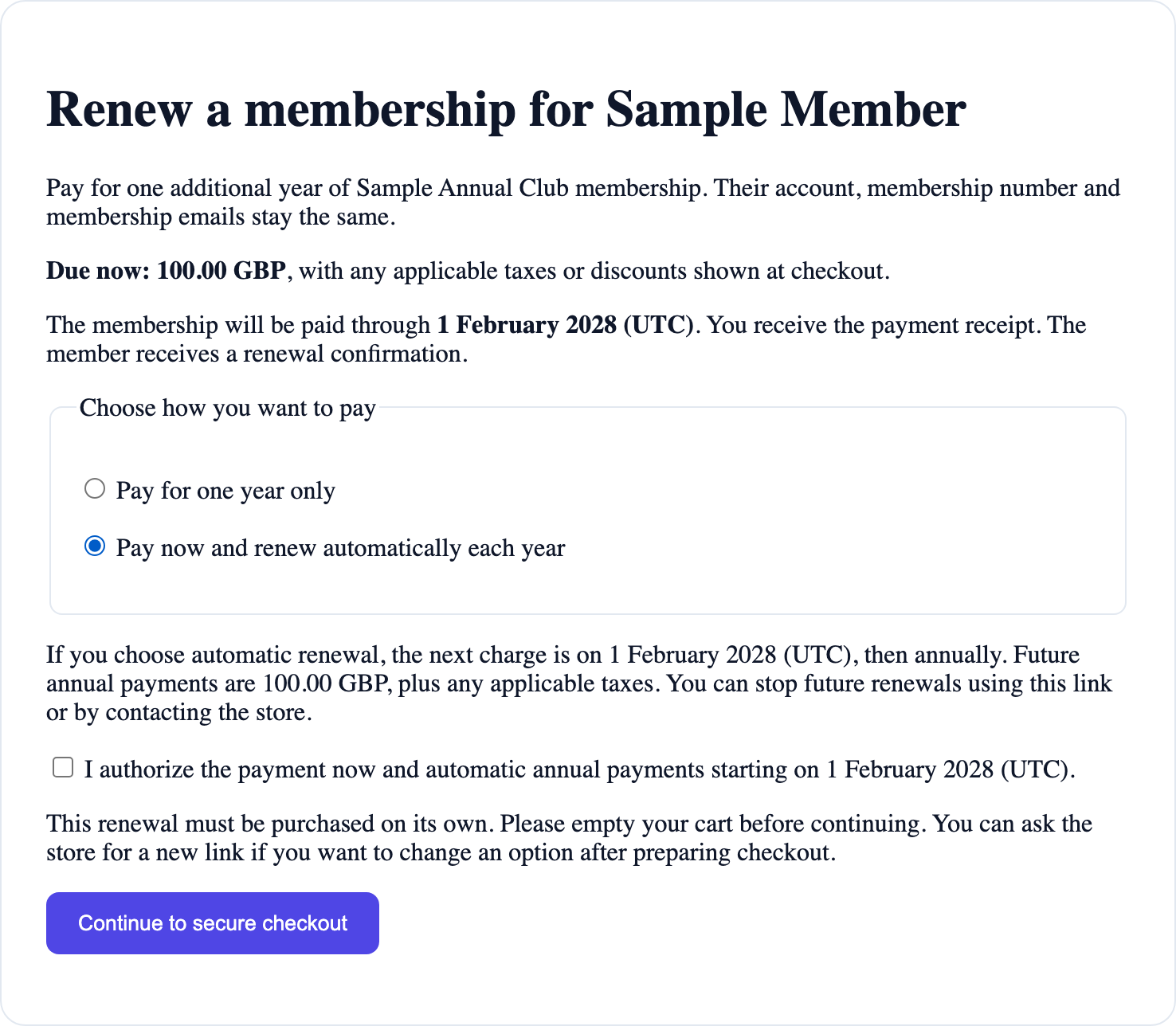
The payment page shows the amount due now and the next renewal date before checkout. Shopify shows applicable taxes and discounts at checkout. These are Shopify subscription payments, not a bank Direct Debit arrangement.

<figure><img src="https://2037526248-files.gitbook.io/~/files/v0/b/gitbook-x-prod.appspot.com/o/spaces%2FVJXUszoUtB7SAceDihaK%2Fuploads%2Fgit-blob-abec46b62b70b35df18befcb42b6e6c488ba937b%2Fmembership-payer-options.png?alt=media" alt="Sample payer page showing 100 GBP due now, payment through 1 February 2028, both payment options, and the unchecked automatic renewal authorization checkbox"><figcaption><p>Example payment page with automatic renewal selected. The payer must also tick the authorization checkbox before continuing. Fonts and spacing can vary with your Shopify theme.</p></figcaption></figure>

The renewal must be purchased on its own. The payer should empty their cart before continuing. Once checkout has been prepared, the payment choice is fixed for that link. Revoke the unpaid request and create another to change it.

## Who receives the emails?

* Shopify payment receipts and subscription payment messages go to the payer.
* Memberply sends a renewal confirmation to the member's existing email after payment.
* The member's normal membership communications keep using their existing email address.

Shopify's renewal order belongs to the payer. This feature does not duplicate Shopify's order receipt to the member or change the email address on either customer account.

## Stop automatic renewals

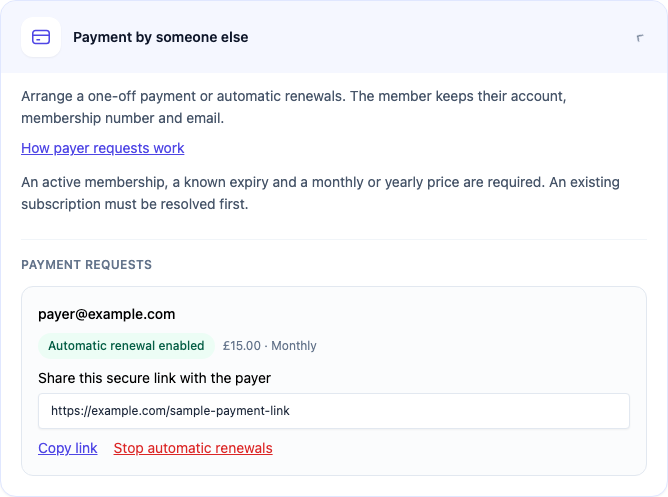
Staff can open **Payment by someone else** and select **Stop automatic renewals**. The payer can also reopen their original link and stop renewals themselves after signing in.

<figure><img src="https://2037526248-files.gitbook.io/~/files/v0/b/gitbook-x-prod.appspot.com/o/spaces%2FVJXUszoUtB7SAceDihaK%2Fuploads%2Fgit-blob-bcadabbe116a2c8c10fcd88c7e608e3db11203a4%2Fmembership-payer-renewing.png?alt=media" alt="Sample request with Automatic renewal enabled and the Stop automatic renewals control"><figcaption><p>When automatic renewal is enabled, staff can stop future payments from the member details.</p></figcaption></figure>

Stopping renewals prevents future payments. The member keeps the membership time already paid for. This does not refund a payment.

If you refund a payment in Shopify, also review the membership in Memberply. Stop automatic renewals if appropriate and adjust the member's access expiry separately. A refund alone is not an instruction to remove the member's existing paid time.

## Availability and setup

This staff-managed flow is for an **active existing membership** with a known expiry date and a price for a fixed membership period. It supports monthly tiers, yearly tiers, tiers offering both, and one-time tiers with a positive duration in days, months or years, including three and six months. Lifetime memberships are not eligible. Existing payment links keep the duration and price chosen when they were created. It does not apply joining fees or a new-member free trial.

A new payment request cannot be created while the member has an unfinished subscription. Use **Change payer** when available to stop that subscription’s future payments and preserve membership access before creating the new request.

Automatic renewals require a Shopify payment gateway that supports subscriptions. Both options use Shopify checkout and Memberply's checkout validation. Memberply creates an unlisted digital renewal product for the request; it is separate from the membership enrollment product and does not require shipping. Do not edit or republish these request products as ordinary storefront products.

The membership product needs an active inventory location that fulfills online orders. If preparing checkout fails, check the product's location and checkout setup before creating another request.

## Why is there no payment form?

If a new payment link cannot be created, the panel shows **New payment link unavailable** and the specific reason. For an existing subscription, use **Change payer** when available. If the subscription does not meet the requirements above, the panel explains why the action is unavailable. Other reasons include an inactive membership, no recorded expiry date, or no price or fixed duration.

Opening this panel does not change or cancel an existing subscription. The **Change membership** action is separate and is used to move the member to another tier.