# Setting up retry failed payments

Memberply will automatically retry any failed payments for a member's subscription to your membership program. Change the time between retries and the maximum number of retry attempts below.

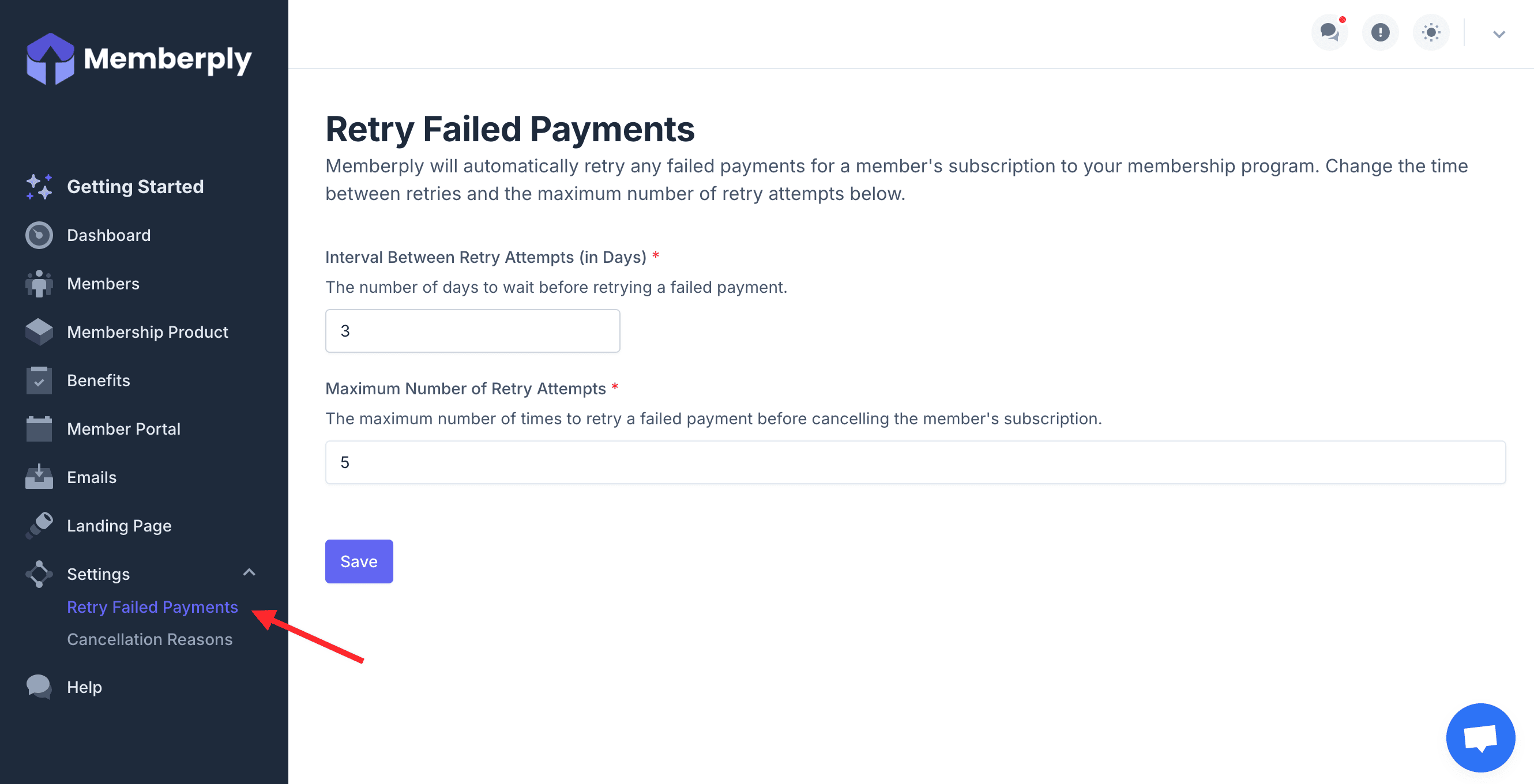
1. From the main menu, click on Settings and then Retry Failed Payments.

<figure><img src="https://2037526248-files.gitbook.io/~/files/v0/b/gitbook-x-prod.appspot.com/o/spaces%2FVJXUszoUtB7SAceDihaK%2Fuploads%2FFfpdGa41GUcL1fI2l5Rl%2FRetryFailedPayments1.png?alt=media&#x26;token=db0bf7a0-d082-430f-8d2b-44bc03bb223d" alt=""><figcaption></figcaption></figure>

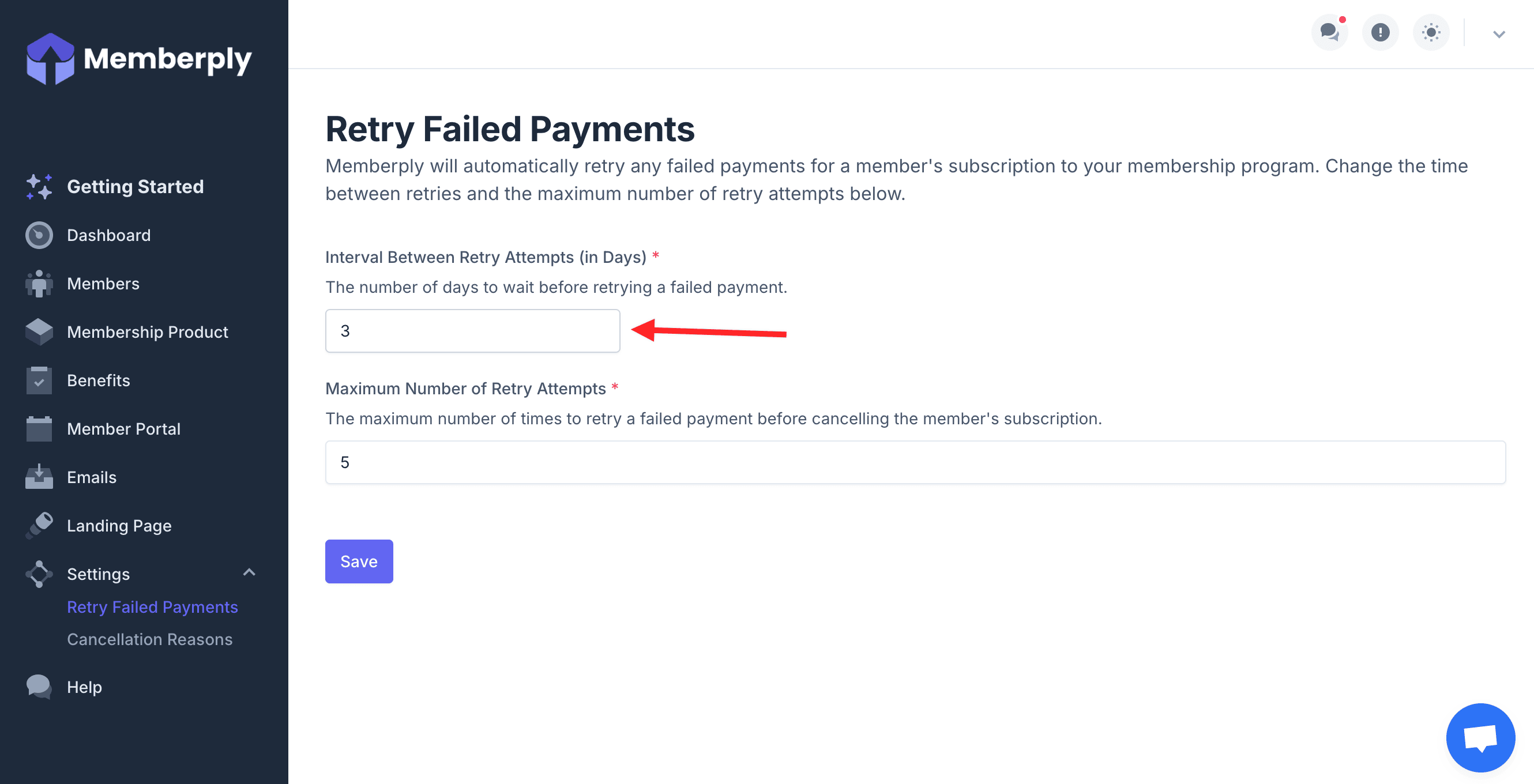
2. Enter the number of days to wait before retrying a failed payment.

<figure><img src="https://2037526248-files.gitbook.io/~/files/v0/b/gitbook-x-prod.appspot.com/o/spaces%2FVJXUszoUtB7SAceDihaK%2Fuploads%2FGXcJULxMdIyL8v0JRGCW%2FRetryFailedPayments2.png?alt=media&#x26;token=07e7a932-ff8f-4fbb-a274-3a68ea790dad" alt=""><figcaption></figcaption></figure>

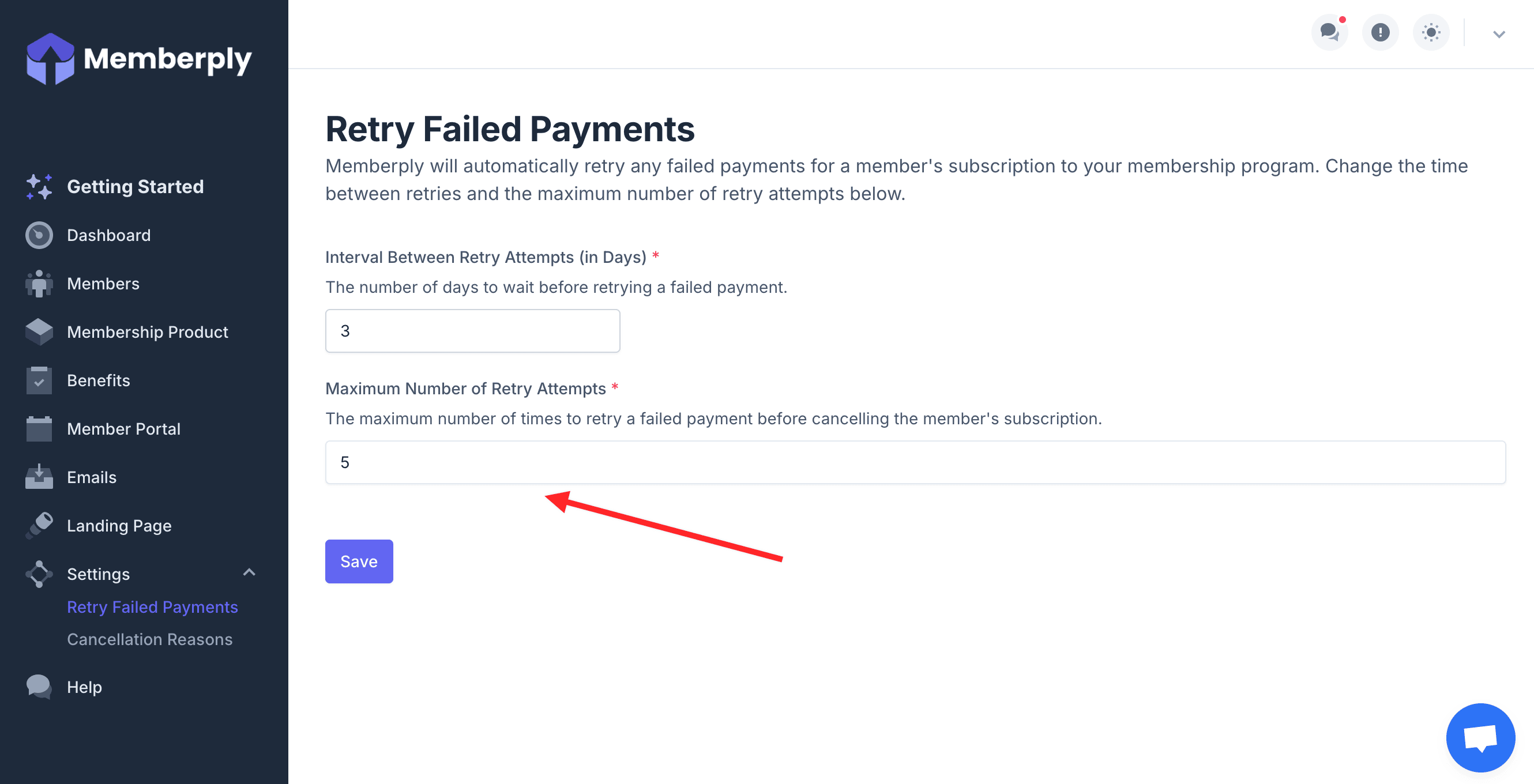
3. Enter the maximum number of times to retry a failed payment before cancelling the member's subscription.

<figure><img src="https://2037526248-files.gitbook.io/~/files/v0/b/gitbook-x-prod.appspot.com/o/spaces%2FVJXUszoUtB7SAceDihaK%2Fuploads%2F2kxgvIwVny4FwCfO8k1a%2FRetryFailedPayments3.png?alt=media&#x26;token=b6146d6c-8028-4e02-9539-eb962e9d4af1" alt=""><figcaption></figcaption></figure>

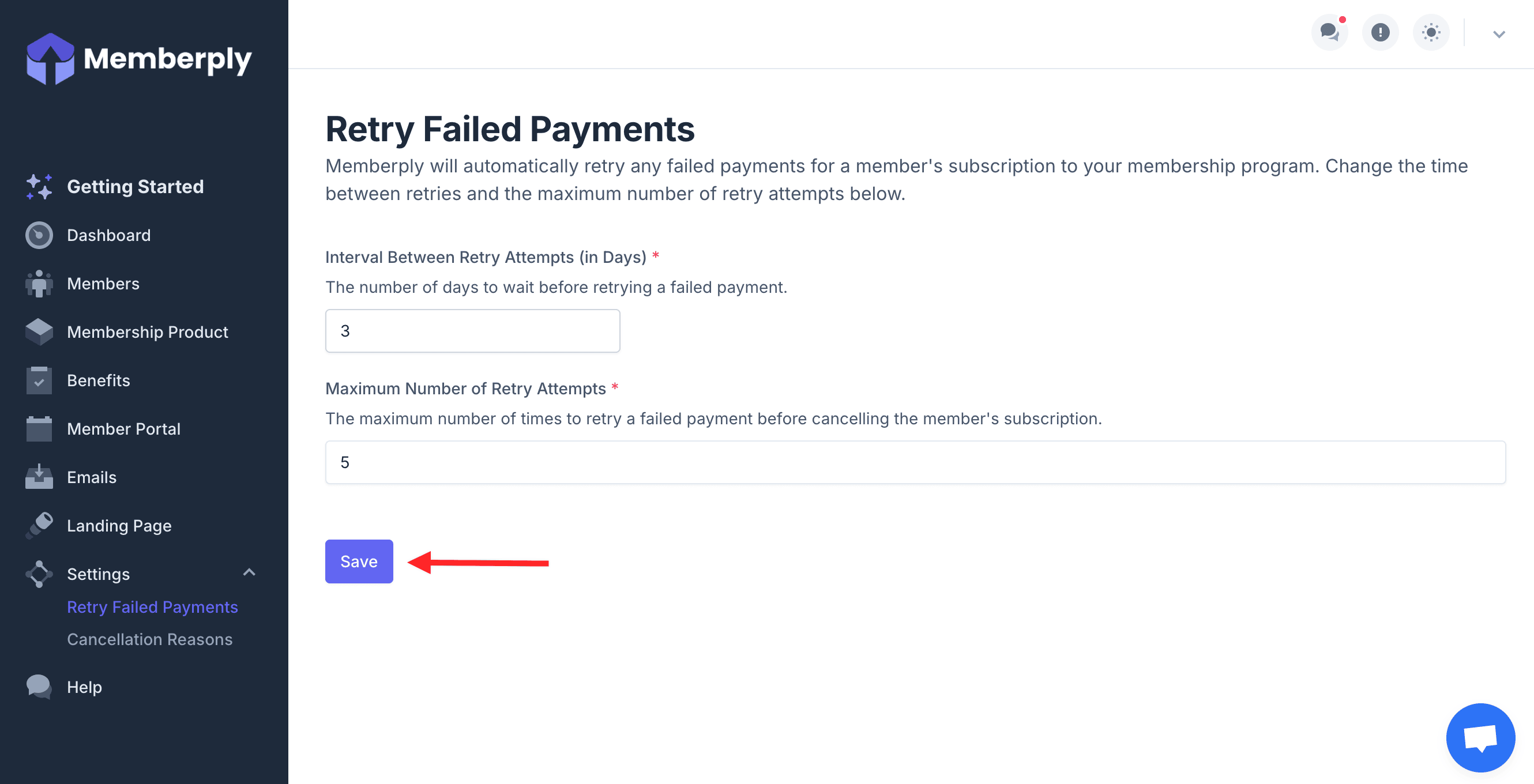
4. Click Save.

<figure><img src="https://2037526248-files.gitbook.io/~/files/v0/b/gitbook-x-prod.appspot.com/o/spaces%2FVJXUszoUtB7SAceDihaK%2Fuploads%2Fib1XQAWbo7ZfYHGVbEHR%2FRetryFailedPayments4.png?alt=media&#x26;token=b1d0a287-cb71-43ad-ae81-31ce88d09bb5" alt=""><figcaption></figcaption></figure>